

Mean, Media & Mode Calculator: A Complete Guide to Understanding and Using This Free Tool
Topics To Discover In This Article:
At a Glance
The Mean, Media & Mode Calculator from Alpha SEO Tools calculates mean, median, mode, sum, minimum, maximum, range, and count from any set of numbers. Paste data in any format—comma-separated, mixed with words, currency symbols, or units—and the tool extracts valid numbers automatically. Everything runs locally in the browser. No signup, no server calls, instant results.
What Is This Tool?
The Mean, Media & Mode Calculator is a utility that takes a set of numbers and produces the key summary statistics that describe that data. The Alpha SEO Tools version does this without requiring any specific formatting, which means you paste whatever numbers you have, exactly as they exist, and the calculator figures out the rest.
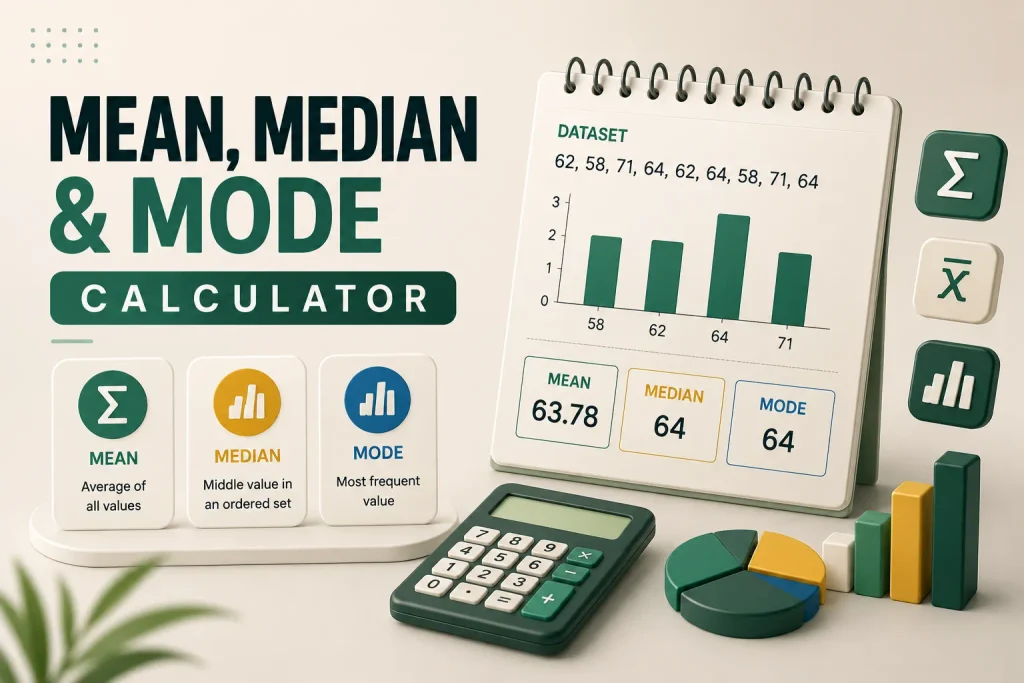
This Mean, Media & Mode Calculator calculates eight values. The mean is the arithmetic average—add all values and divide by how many there are. The median is the middle value when numbers are sorted, and for an even count, it averages the two middle values. The mode is the most frequently occurring value, showing “None” if every number appears only once. The sum is the total of all entered values added together, while the minimum and maximum show the smallest and largest values in the set. The range is maximum minus minimum, showing how spread out the data is, and the count tells you how many valid numbers were found in the input. Together, these eight numbers provide a complete snapshot of any dataset and answer the most common questions people have about their numbers without requiring spreadsheet knowledge or statistical training.
What Each Statistic Means and When to Use It
| Statistic | Definition | Example (10, 12, 14, 100) | Best Used For |
| Mean | Sum of all values divided by count | 34 | Finding typical value when data has no extreme outliers |
| Median | Middle value when numbers are sorted | 13 | Finding typical value when outliers exist |
| Mode | Most frequently occurring value | None (no repeats) | Identifying common values in categorical data |
| Minimum | Smallest value in the set | 10 | Understanding the lower boundary |
| Maximum | Largest value in the set | 100 | Understanding the upper boundary |
| Range | Maximum minus minimum | 90 | Measuring how spread out the data is |
| Sum | All values added together | 136 | Calculating totals and budgets |
| Count | Number of valid numbers found | 4 | Verifying complete data entry |
This table shows why the median is often more useful than the mean when outliers are present. A single extreme value like 100 pulls the mean to 34, but the median stays at 13, which better represents the “typical” value in that dataset.
How the Mean, Media & Mode Calculator Works
The process is simple: you paste numbers, click a button, and read the results. Here’s the full walkthrough.
Step 1: Enter Your Numbers
The input box accepts anything you throw at it. Examples that work include “12, 15, 19” and “62kg, 58kg, 71kg, 64kg” and “scores: 88 92 76,,88 / 95” and “$120, $85, $200, $85, $150.” The Mean, Media & Mode Calculator scans your text and extracts every valid number. Commas, spaces, slashes, line breaks, dollar signs, and words are all treated as separators, so you never need to clean up your data first.
Step 2: Check the Live Counter
Above the input box, text updates as you type. It starts with “no numbers yet” and changes to things like “6 numbers spotted.” This confirms the tool is reading the correct number of values from your input. This matters because it catches errors before you calculate—if you paste data expecting 10 numbers but the counter shows 7, you know something went wrong, like a value getting cut off or a decimal not being recognized.
Step 3: Click Calculate
The button shows a brief “Calculating” state with a small loading animation that takes less than a second, then the results appear.
Step 4: Read Your Results
The results display in a clean grid. The mean appears in a highlighted green tile, with the median and mode sitting beside it. Below those, five smaller tiles show minimum, maximum, range, sum, and count. Each number animates smoothly from zero to its final value.
Step 5: Clear or Try a Sample
The Clear button wipes everything and resets the tool. The Shuffle a sample button fills the input with a random example dataset so you can test the Mean, Media & Mode Calculator without typing anything yourself.
Why This Mean, Media & Mode Calculator Accepts Messy Data
Most calculators force you to format data before entering it—remove the words, delete the units, strip the dollar signs, arrange everything in clean comma-separated rows. Only then will they calculate. This Mean, Media & Mode Calculator takes the opposite approach because it recognizes that real people have messy data. They copy numbers from emails, text messages, spreadsheets, and random notes. Their data includes words, currency symbols, unit labels, and inconsistent separators.
The number extraction uses pattern matching to find every valid number regardless of context. The pattern /-?\d+(\.\d+)?/g matches integers and decimals with optional negative signs, while everything else—words, punctuation, symbols, separators—is ignored. This means “23 apples, 41 oranges and about 17 more” works, “Weights: 62kg / 58kg / 71kg” works, “$120, $85, $200” works, and “scores -> 88 92 76” works. You paste what you have, and the tool figures out the numbers.
Technical Details: How It’s Built
The Mean, Media & Mode Calculator runs entirely in the visitor’s browser using vanilla JavaScript with no external libraries, no frameworks, and no server dependencies. This design choice matters for several reasons. Because there are no external resources to load, the tool appears instantly on the page without waiting for CDNs or framework downloads. Since all calculations happen client-side, no data ever leaves the browser—whatever numbers you paste, whether personal health data, confidential business figures, or private financial information, stays on your device and is never sent to a server, logged, or stored.
Built with pure JavaScript, the tool doesn’t introduce jQuery conflicts or framework compatibility issues, which means it works on any WordPress setup regardless of what other plugins are active. The script is stored as Base64 text and decoded at runtime, which protects the code from being corrupted by caching and minification tools like Cloudflare or WP Rocket that can sometimes alter quotes or special characters in JavaScript. The number extraction function converts every match to a numeric value and filters out invalid results, ensuring that even if something looks like a number but isn’t—like a date or a version number—it’s handled correctly.
Who Should Use This Tool
The Mean, Media & Mode Calculator serves a wide range of users:
- Students: Can verify their manual calculations instantly by pasting the problem’s numbers and comparing results, which handles all the basic calculations covered in introductory statistics courses.
- Teachers and Educators: Can use the calculator to grade assignments, verify answer keys, and demonstrate statistical concepts during lessons—the instant results make it useful for classroom demonstrations.
- Business Professionals: Including managers, analysts, and decision-makers, often need quick averages, totals, and ranges, and the calculator provides these without opening Excel or Google Sheets. For quick calculations during meetings or while reviewing reports, it’s faster than launching spreadsheet software.
- Researchers: Working with small datasets can verify calculations and explore their data without using heavy statistical software, and the privacy aspect is especially valuable for researchers handling sensitive data.
- Marketers and SEO Professionals: Track metrics like page views, conversion rates, and engagement numbers, and the calculator helps them quickly understand averages, spot outliers, and identify patterns in their data.
- Writers and Content Creators: Tracking word counts, readability scores, or performance metrics can use the calculator to analyze their work—the mean word count across articles and the range of engagement numbers help refine content strategy. This connects directly to broader content planning, whether you’re building a Content Pillar strategy or understanding how Search Intent Types Explained impacts what content formats perform best.
- Everyday Users: Who need to calculate an average, total, or range from a list of numbers also benefit, whether they’re splitting a restaurant bill, calculating average utility costs, or understanding test scores.
Practical Examples of Using the Calculator
Here are real scenarios where this Mean, Media & Mode Calculator saves time and effort:
- Utility Bills: A user wanting to know their average monthly utility bill has bills from the last six months—$142, $98, $215, $130, $165, and $128. They paste these values, dollar signs and commas included, and instantly see the mean ($146.33), median ($136), and range ($117). The tool handles the currency symbols without complaint.
- Grading Assignments: A teacher with quiz scores from 25 students, some recorded with notes like “18/20” or “17 out of 20,” pastes the entire grade book entry into the calculator. The tool extracts the numbers, ignores the notes, and provides mean, median, mode, and count, so the teacher immediately knows the class average and the most common score.
- Survey Ratings: A researcher who collected ratings from 50 survey participants, with responses including text like “Rating: 4 out of 5” and “Score = 3.5,” pastes the raw responses into the calculator and gets mean, median, and mode for the ratings. The tool’s ability to parse mixed text saves hours of manual data cleaning.
- Page View Metrics: A blogger tracking average weekly page views has 12 weeks of data with notes like “1,240 views (holiday week)” and “980 views.” They paste the numbers, and the calculator instantly provides the mean, median, and range. The live counter confirms all 12 values were detected. When performance dips, understanding the range helps identify whether the decline is significant or normal variation—something the Content Decay Overview guide covers in depth.
- Splitting Expenses: A group of friends splitting a vacation cost pastes their expenses—”hotel $450, food $320, gas $180, activities $260″—and uses the sum to see the total ($1,210), then divides by the number of people. The calculator made the total instantly visible.
Common Questions About the Calculator
Is the Mean, Media & Mode Calculator accurate for large datasets?
Yes, it handles thousands of numbers accurately. For hundreds of thousands of values, use dedicated statistical software instead.
Does the Mean, Media & Mode Calculator work on mobile devices?
Yes, it’s fully responsive and adapts to smaller screens with stacked buttons and a single-column results grid.
Can I use the Mean, Media & Mode Calculator for homework or professional work?
Yes, it works for verifying homework, checking business metrics, and analyzing research data. Everything stays in your browser.
How is the Mean, Media & Mode Calculator different from spreadsheet formulas?
It accepts messy data—text, symbols, units mixed with numbers—without requiring clean formatting or cell-by-cell entry.
Why This Tool Is Free
The Mean, Media & Mode Calculator is part of the Alpha SEO Tools suite, a collection of free browser-based utilities for digital professionals. The tools are free because they run client-side, which means there are no server costs to offset. The site monetizes through other means, not by charging for basic utilities, so the calculator remains free, unlimited, and accessible to everyone with no premium tier, no usage caps, and no signup requirements. The same philosophy applies to other tools on the site, including the Data Storage Converter and the Lorem Ipsum Generator—they’re built to solve real problems without adding friction. For a deeper understanding of how Google interacts with your site’s technical elements, the Crawl Budget Secrets guide covers how crawling efficiency impacts overall SEO performance.
Final Thoughts
The Mean, Media & Mode Calculator does one thing and does it well: it calculates descriptive statistics from messy, real-world data without requiring any cleanup or formatting. For students, it’s a homework checker. For business professionals, it’s a quick calculation tool. For researchers, it’s a privacy-respecting data explorer. For everyone else, it’s a fast way to get answers from numbers.
The tool’s strength is its simplicity. Paste, click, read. No learning curve, no setup, no complications. That’s how a calculator should work. The next time you need to find an average, understand a range, or identify the most common value in your data, skip the spreadsheet formulas and use this Mean, Media & Mode Calculator instead. It takes seconds and gives you exactly what you need.