Bulk Image to WebP Converter: Shrink Your Photos Without Losing Quality
Published on AlphaSEOTools.com |
Page speed isn’t a nice-to-have anymore — it’s a ranking factor, a conversion factor, and honestly, a patience factor. Visitors bounce off slow sites, and one of the biggest culprits behind a sluggish page is almost always unoptimised images. That’s exactly the problem a bulk image to webp converter solves — and it solves it for every image on your site at once, not one painful upload at a time.
If you’ve never used a bulk image to webp converter before, this is the article that walks you through what WebP actually is, why it matters for your site’s speed and SEO, and how to convert a whole folder of images in one go without touching a single line of code.
What Is WebP, and Why Should You Care?
WebP is an image format developed by Google, designed specifically to produce smaller files than JPEG and PNG while keeping visual quality intact. According to Google’s official WebP documentation, WebP lossless images are typically smaller than PNG, and WebP lossy images are typically smaller than comparable JPEG images at similar quality settings. That’s the entire pitch in one sentence — smaller files, same look.
A bulk image to webp converter takes that benefit and applies it across your whole image library in one pass. Instead of converting your blog’s hero image today and forgetting the other forty images sitting in your media folder, you process the entire batch and move on with your life.
Browser support is no longer a concern either. Per the Can I Use compatibility tables, WebP is supported across all major modern browsers — Chrome, Firefox, Edge, Safari, and Opera. There’s essentially no reason left to avoid it.
Why Image Weight Quietly Wrecks Your Site Speed
Images are usually the heaviest assets on any web page. A single uncompressed photo from a modern phone camera can easily run several megabytes — multiply that by a gallery, a blog full of screenshots, or a product catalogue, and you’ve got a page that takes forever to paint.
Google has been explicit about this for years. Their own PageSpeed Insights documentation flags unoptimised images as one of the most common opportunities for improving Largest Contentful Paint (LCP) — a Core Web Vital that directly affects how Google evaluates your page experience. Running your media through a bulk image to webp converter is one of the simplest ways to address that flag without redesigning anything.
Here’s what tends to happen when image weight gets out of hand:
— Pages take longer to become visually complete, hurting Core Web Vitals
— Mobile users on slower connections experience the worst of it
— Hosting and CDN bandwidth costs creep up over time
— Image-heavy pages contribute to higher bounce rates
— Crawl efficiency drops slightly as bots spend more time fetching large files
Image Formats Compared: Where WebP Fits
| Format | Compression | File Size vs WebP | Browser Support |
| JPEG | Lossy only | Larger file size | Universal |
| PNG | Lossless only | Largest for photos | Universal |
| GIF | Lossless, 256 colors | Poor for photos | Universal |
| WebP | Lossy + Lossless | ~25-35% smaller than JPEG | All modern browsers |
This isn’t marketing spin — it’s how the format was engineered. WebP supports both lossy and lossless compression plus transparency (like PNG) and animation (like GIF), all in one format. A bulk image to webp converter lets you take advantage of all of that without manually picking the right format for each image type.
Inside Alpha SEO Tools’ Bulk WebP Converter
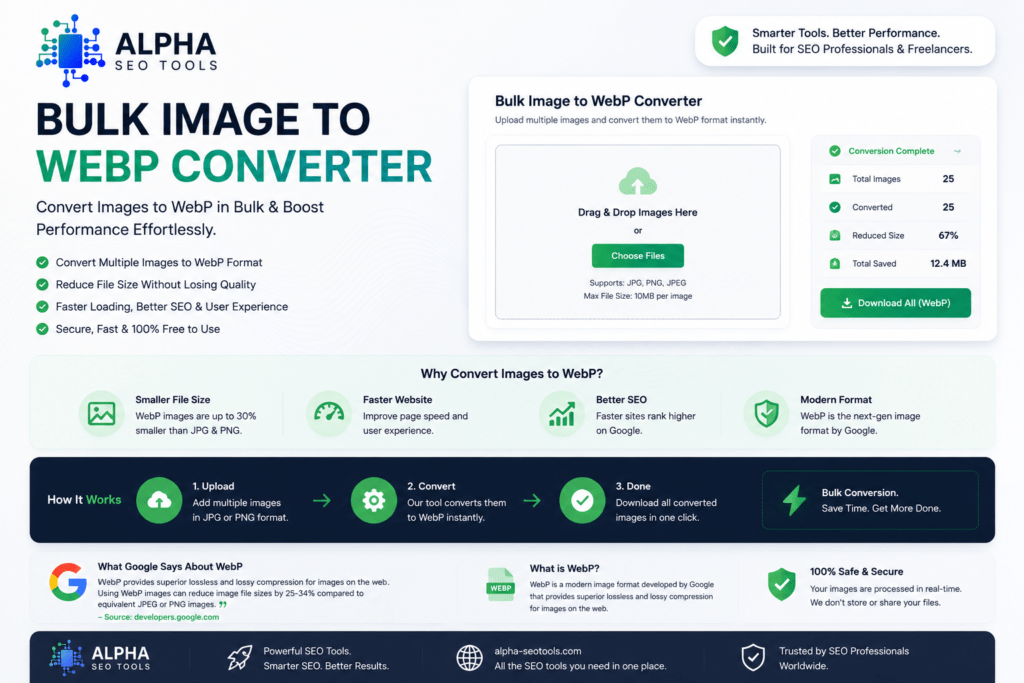
Alpha SEO Tools built their bulk image to webp converter to remove every bit of friction from this process. No installs, no command-line tools, no waiting for a desktop app to open. Here’s what you’re working with:
| KEY FEATURES AT A GLANCE |
| Drag-and-drop multiple JPG and PNG files for batch conversion |
| Converts directly in your browser — files never need to leave your device |
| Adjustable quality settings so you control the size-versus-quality balance |
| Download converted images individually or as a batch |
| Works on desktop and mobile browsers alike |
| Completely free, with no account or signup required |
Step 1 — Upload Your Images
Open the bulk image to webp converter and select or drag in as many JPG or PNG files as you need converted. There’s no need to convert them one at a time — the whole batch loads together.
Step 2 — Set Your Quality Level
Choose your preferred compression quality. Higher settings preserve more detail at a slightly larger file size; lower settings shrink the file further with a small trade-off in fidelity. For most blog and product images, a moderate-to-high setting keeps images looking sharp while cutting file size noticeably.
Step 3 — Download and Deploy
Looking Towards The Best Captions For Instagram Posts: We Got Just The Things For You… See Caption Eren
Once conversion finishes, download your new WebP files and upload them to your site — whether that’s through your CMS media library, a CDN, or directly via FTP. The bulk image to webp converter hands you ready-to-use files; what you do with them next is entirely up to your workflow.
Who Actually Needs This Tool?
If you publish images regularly — and almost every website does — running a bulk image to webp converter becomes part of your routine rather than a one-off fix. The bulk image to webp converter particularly earns its place with a few groups:
For a closer look at how image optimisation fits into broader site performance, web.dev’s guide to image optimisation (a resource maintained by Google’s web platform team) is a solid technical reference worth reading.
The SEO Connection: Why This Matters Beyond Speed
Page experience signals — including loading speed — are part of how Google evaluates search results, as outlined in Google Search Central’s page experience documentation. While speed alone won’t override genuinely strong content, a slow, image-heavy page makes everything else about your SEO work harder than it needs to be.
Using a bulk image to webp converter as part of your publishing checklist means every new image you add starts off lighter than it would be as a raw JPG or PNG. Combine that habit with Alpha’s other free tools — like the Website Screenshot Generator for clean visuals and the SEO Metadata Tracker for checking how your pages present in search — and you’ve got a workflow that keeps both users and search engines happy.
It’s worth being honest here: converting images to WebP with a bulk image to webp converter won’t single-handedly fix a slow site if your hosting, server response times, or unoptimised scripts are the real bottleneck. But it removes one of the most common and easiest-to-fix issues, and it costs you nothing but a few minutes.
Frequently Asked Questions
Will converting to WebP reduce my image quality?
At reasonable quality settings, the difference is generally not noticeable to the human eye, while file sizes drop meaningfully. A bulk image to webp converter that lets you adjust the quality slider gives you full control — you can compare the output side-by-side with your original before deciding what to publish.
Do I need to convert every image on my site to WebP?
Not necessarily all at once. Start with your heaviest pages — homepage, top landing pages, and any image-heavy blog posts — and work outward from there. New images going forward should ideally be converted before upload, which is where a bulk tool becomes part of your normal workflow rather than a big one-time project.
Is a browser-based converter safe for sensitive or private images?
Alpha’s bulk image to webp converter performs conversion locally in your browser, meaning your files aren’t uploaded to an external server for processing. That’s a meaningful difference compared to tools that require you to upload images to a remote service first.
What if my CMS or theme doesn’t support WebP?
Most modern CMS platforms and themes support WebP natively at this point, given how widespread browser support has become. If you’re on an older theme, check whether your media library accepts the .webp file extension directly — if not, your developer can usually add support with a small configuration change.
The Bottom Line
Heavy images are one of the most fixable problems on the web — and yet they’re everywhere, because converting and resizing files one by one is tedious enough that most people just… don’t. A bulk image to webp converter removes that excuse entirely. The bulk image to webp converter lets you drop in your images, pick a quality level, and walk away with files that are smaller, faster to load, and just as sharp.
Alpha SEO Tools’ bulk image to webp converter is free, runs in your browser, and handles your whole batch in one go. It’s a small habit that pays off on every single page of your site.
Next time you’re about to upload a folder of fresh images, give it a try. Your page speed will thank you.
| Article: Bulk Image to WebP Converter | Published by Alpha SEO Tools | alphaseotools.com | Free tools, zero sign up, always.