Live Internet Speed Test: Find Out What You’re Really Paying For
Published on AlphaSEOTools.com | Focus Keyword: live internet speed test |
“Is it just me, or is the internet slow today?” — if you’ve said that sentence more than once this month, you already know why a live internet speed test exists. It’s the fastest way to turn a vague feeling of “this is taking forever” into an actual number you can act on.
Whether you’re troubleshooting a sluggish video call, deciding if your ISP is delivering what you’re paying for, or just curious how your connection stacks up, a live internet speed test gives you the full picture in under a minute — download speed, upload speed, and ping, all in one clean result.
What a Speed Test Actually Measures
A live internet speed test measures three core things, and understanding each one makes the results actually useful instead of just a number on a screen.
Both download and upload speeds are typically measured in megabits per second (Mbps). A live internet speed test works by sending and receiving small amounts of data to and from a nearby server, then calculating how quickly that transfer happened. The result is a real-time snapshot of your connection at that exact moment.
Why Your Speed Test Result Changes Every Time
If you’ve ever run a test twice in a row and gotten two different numbers, that’s completely normal — and it’s not the tool being inaccurate. Internet speed fluctuates based on a long list of factors that are mostly outside your control.
According to the FCC’s Household Broadband Guide, actual speeds can vary based on network congestion, time of day, the number of devices connected, and the distance between your device and your router. A live internet speed test run at 8 PM when everyone on your street is streaming will often show different numbers than the same test run at 8 AM.
Other common factors that affect your result:
— Wi-Fi signal strength and distance from your router
— Number of devices actively using bandwidth at the same time
— Whether you’re connected via Wi-Fi or a wired Ethernet connection
— Server load on your ISP’s network during peak hours
— Background apps and updates running on your device
How Much Speed Do You Actually Need?
| Activity | Recommended Speed | Common Issue | Sensitivity |
| Email & web browsing | 1 – 5 Mbps | Minimal — works on most plans | Low |
| HD video streaming (1080p) | 5 Mbps+ | Buffering on slow connections | Medium |
| 4K video streaming | 25 Mbps+ | Common on shared connections | Medium |
| Video calls (HD quality) | 3.8 Mbps up/down | Frequent on weak Wi-Fi | High |
| Online gaming | 3 – 6 Mbps + low ping | Lag spikes, high ping | High |
These figures are based on published recommendations from major streaming and video-calling platforms. The takeaway: most everyday tasks don’t need huge speeds — but if multiple people in your home are streaming, gaming, and video-calling at once, those numbers add up fast. Running a live internet speed test tells you whether your plan can actually handle your household’s real usage.
Inside Alpha SEO Tools’ Live Speed Test
Alpha SEO Tools built their live internet speed test to be quick, clean, and free of the clutter that a lot of speed test sites pile on. Here’s what you get:
| KEY FEATURES AT A GLANCE |
| One-click test — no app download or browser extension required |
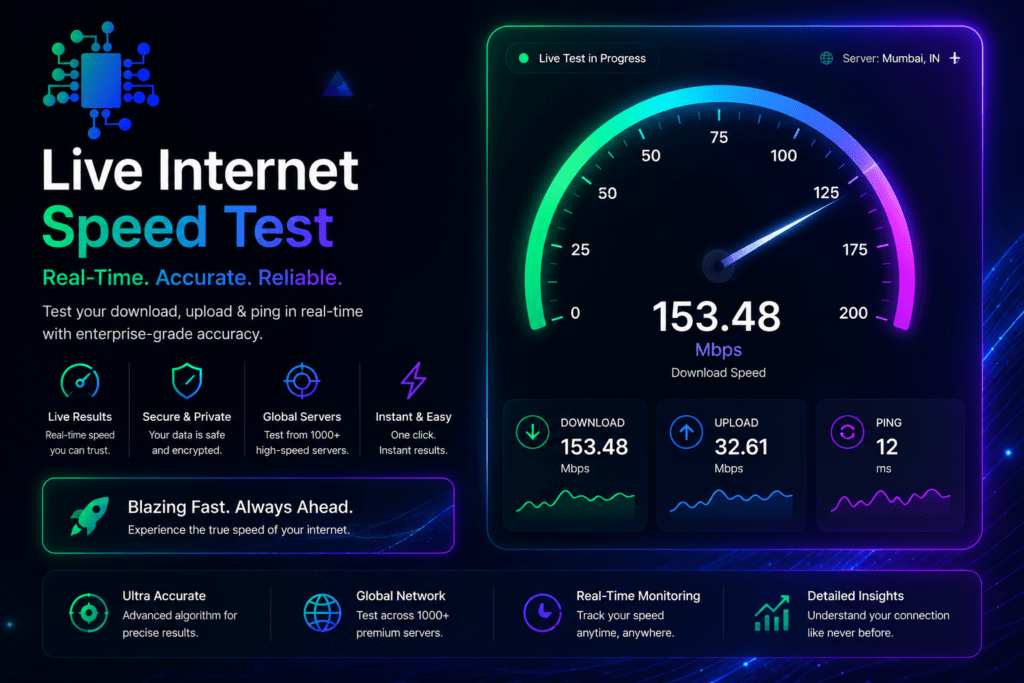
| Real-time results for download speed, upload speed, and ping |
| Works on desktop, tablet, and mobile browsers |
| Clean, readable results with no intrusive ads interrupting the test |
| Completely free, with no account or signup required |
| Re-run instantly to compare results across different times of day |
Step 1 — Open the Test
Head to the live internet speed test page. No setup, no permissions, no waiting for software to load.
Step 2 — Run the Test
Click start and let it run. The tool measures your download speed first, then upload speed, then ping — all within roughly 30 to 60 seconds depending on your connection.
Step 3 — Read and Act on Your Results
Once finished, you’ll see your download speed, upload speed, and ping displayed clearly. If the numbers look lower than what you’re paying for, that’s useful information — run the live internet speed test again at a different time, on a wired connection if possible, to rule out Wi-Fi interference before contacting your provider.
See Premium And Aesthetic Captions For Instagram From Caption Haze
When You Should Actually Run a Speed Test
A live internet speed test isn’t something you need to run daily, but there are specific moments where it earns its keep:
For a deeper technical breakdown of how speed testing methodology works across the industry, Ookla’s how-it-works overview is a solid, widely-referenced resource — Ookla is the company behind Speedtest.net and one of the most established names in connection measurement.
Speed Tests and the Bigger Picture of Your Connection
It’s worth knowing that a live internet speed test measures your connection to a specific test server at a specific moment — it’s not a guarantee of performance on every website or service you use. A site that’s slow to load might be dealing with its own server issues, completely separate from your internet speed.
That said, if your live internet speed test results are consistently and significantly below what your ISP advertises — not just occasionally during peak hours, but as a pattern — that’s worth documenting and raising with your provider. The FCC’s broadband guide notes that providers’ advertised speeds represent “up to” maximums, not guaranteed minimums, so some variance is expected — but a consistent, large gap is a legitimate issue.
If you run a website yourself, pairing a live internet speed test with Alpha’s other tools — like the Website Performance tracker — gives you both sides of the story: how fast your connection is, and how fast your site loads for visitors. Two different problems, two different fixes.
Frequently Asked Questions
Why do my speed test results differ from what my ISP advertises?
Advertised speeds are typically maximum potential speeds under ideal conditions, not guarantees. Network congestion, Wi-Fi interference, and the number of connected devices all affect your actual result. Run a live internet speed test a few times across different times of day to get a realistic average before drawing conclusions.
Should I test on Wi-Fi or a wired connection?
Both, if you can. Testing on Ethernet shows you the maximum speed coming into your home, while testing on Wi-Fi shows what your devices actually experience day-to-day. A big gap between the two usually points to a Wi-Fi issue rather than an ISP issue.
Does running a speed test use up my data allowance?
A single live internet speed test typically uses a small amount of data — generally a fraction of what streaming a short video would use. For most home broadband plans with no data cap, this is a non-issue. On capped mobile data plans, running it occasionally rather than constantly is a sensible habit.
What’s a good ping for gaming or video calls?
Lower is better across the board. Pings under roughly 20-50ms are generally considered excellent for competitive gaming and smooth video calls, while pings well above 100ms often introduce noticeable lag or delay. If your ping is consistently high, it’s often more about network congestion or routing than your raw download speed.
The Bottom Line
Your internet connection is one of those things you only think about when it’s not working — and by then, you’re frustrated and guessing. A live internet speed test turns that guesswork into a clear, simple number you can actually use, whether that’s troubleshooting, comparing plans, or just satisfying your curiosity.
Alpha SEO Tools’ live internet speed test is free, fast, and doesn’t bury your results behind ads or signups. Run it, note the numbers, and run it again next time something feels off.
Knowing your real speed is the first step to fixing what’s slow. Test it now.
alphaseotools.com | Article: Live Internet Speed Test | External sources: FCC, Ookla, Netflix/Zoom/YouTube help centers